13. Draw Image on Nrrd Slice (outdated)#
html
<template>
  <div id="bg" ref="base_container">
    <div ref="c_gui" id="gui"></div>
    <div ref="c_gui_2" id="gui_2"></div>
    <button class="btn" ref="btn" @click="reset">reset</button>
  </div>
</template>
<style>
  #bg {
    width: 100vw;
    height: 100vh;
    /* border: 1px solid palevioletred; */
  }
  .btn {
    position: fixed;
    left: 500;
    top: 0;
    z-index: 1000;
  }
  button {
    cursor: pointer;
    margin: 10px;
  }
  #gui {
    position: absolute;
    top: 10px;
    left: 2px;
    z-index: 100;
  }
  .copper3d_sliceNumber {
    position: relative !important;
    width: 300px;
    text-align: center;
    // top: 50px !important;
    left: 0px !important;
    margin: 0 auto;
    border: 1px solid salmon;
    border-radius: 10px;
    padding: 5px;
    color: crimson;
  }
</style>
config copper3d
import { GUI } from "dat.gui";
import * as Copper from "copper3d";
import "copper3d/dist/css/style.css";
import { getCurrentInstance, onMounted, ref } from "vue";
import { TrackballControls } from "three/examples/jsm/controls/TrackballControls";

let refs = null;
let bg: HTMLDivElement = ref<any>(null);
let appRenderer: Copper.copperMSceneRenderer;
let c_gui: HTMLDivElement = ref<any>(null);
let nrrdTools;

onMounted(() => {
  let { $refs } = (getCurrentInstance() as any).proxy;
  refs = $refs;
  bg = refs.base_container;
  c_gui = refs.c_gui;

  appRenderer = new Copper.copperMSceneRenderer(bg, 1);

  loadNrrd(
    "/copper3d_examples/nrrd/breast-224.nrrd",
    "nrrd0",
    appRenderer.sceneInfos[0],
    c_gui
  );

  appRenderer.animate();
});
setup reset funtion and draw funtion
function reset() {
  appRenderer.sceneInfos.forEach((sceneInfo) => {
    sceneInfo.resetView();
  });
}

function loadNrrd(
  url: string,
  name: string,
  sceneIn: Copper.copperMScene,
  c_gui: any
) {
  const opts: Copper.optsType = {
    openGui: true,
    container: c_gui,
  };

  const funa = (
    volume: any,
    nrrdMesh: Copper.nrrdMeshesType,
    nrrdSlices: Copper.nrrdSliceType,
    gui?: GUI
  ) => {
    (gui as GUI).closed = true;
    appRenderer.sceneInfos[0].loadViewUrl("/copper3d_examples/nrrd_view.json");

    appRenderer.sceneInfos[0].subScene.add(nrrdMesh.z);
    nrrdTools = new Copper.nrrd_tools(volume, nrrdSlices.z);
    /**
     * for drag image
     * */
    nrrdTools.dragImageWithMode(
      sceneIn.container,
      sceneIn.controls as TrackballControls,
      {
        mode: "mode1",
        showNumber: true,
      }
    );
    /**
     * for draw image
     * */
    nrrdTools.draw(
      sceneIn.container,
      sceneIn.controls as TrackballControls,
      sceneIn,
      sceneIn.gui
    );
  };
  if (sceneIn) {
    sceneIn?.loadNrrd(url, funa, opts);
    sceneIn.loadViewUrl("/copper3d_examples/nrrd_view.json");
  }
  sceneIn.updateBackground("#18e5a7", "#ff00ff");
  Copper.setHDRFilePath("venice_sunset_1k.hdr");
  appRenderer.updateEnvironment(sceneIn);
}
13.1. Operations and example#
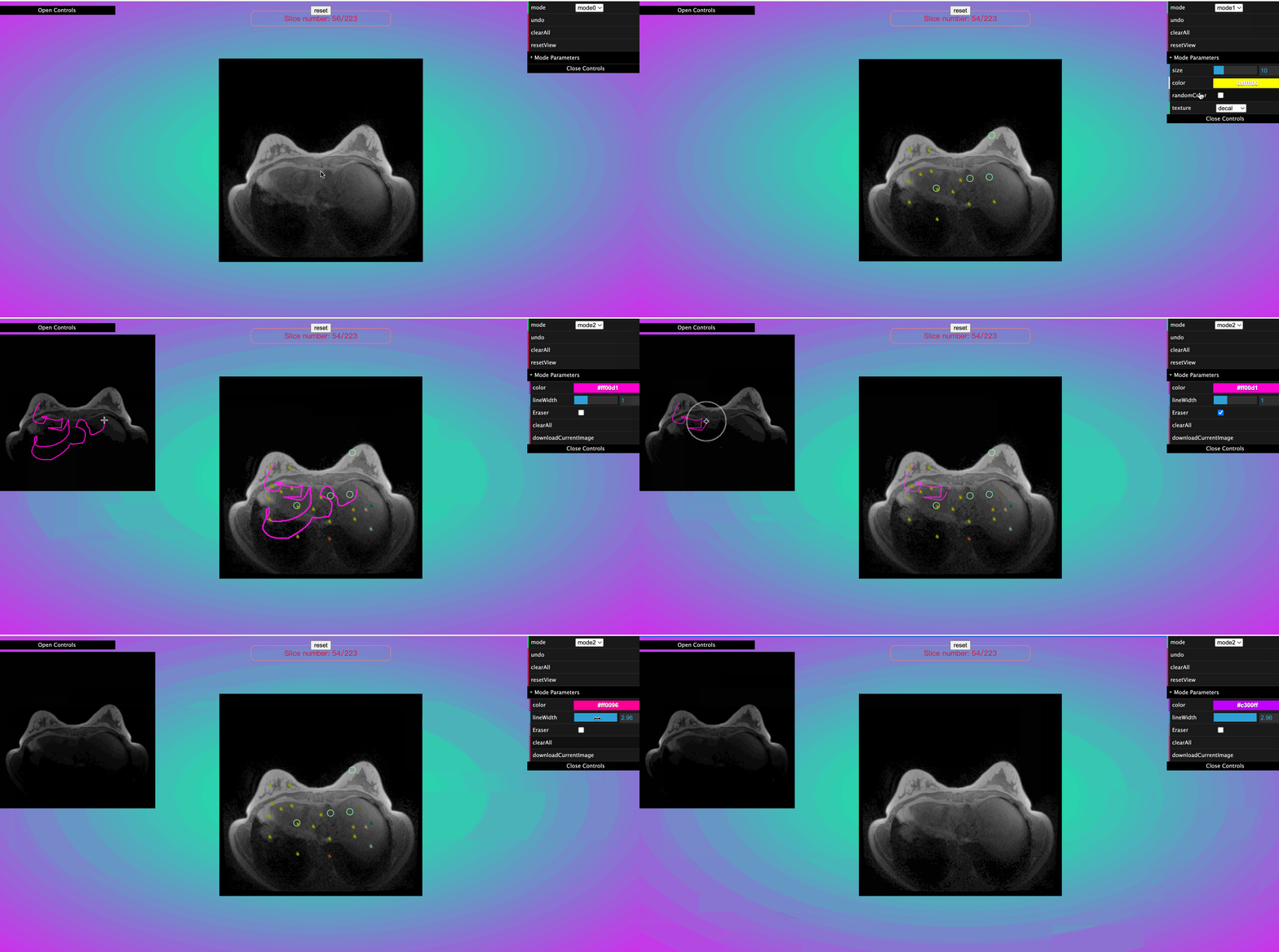
Operations
select the scene that you want to interact.
press shift key on your keyborad, and use left click to drag image.
release shift key, then press D key on your keyboard once.
then on the GUI, there are three modes you can choose.
press D again to stop drawing.
example: https://linkungao.github.io/copper3d_examples/#/example08
13.2. result#